How I built JRM Lab: from WordPress to Ghost to Astro
- Jesús Rojo Martínez
- 20 Apr, 2026
- Updated 03 May, 2026
This article is about the decisions I took along the way when building JRM Lab. I wanted a personal site that does two things: publish articles, and present products and projects with a bit more structure than a regular blog post. And I wanted maintenance to stay out of the way. Easy to say in one sentence; in practice it took me through three different systems before I landed on one I actually liked.
The order was WordPress and Notion first, then Ghost, then Astro. None of those steps were wasted. Each one made the limits of the previous choice easier to see.
Table of contents
Open Table of contents
WordPress and Notion: familiar, but “too much”
WordPress was the obvious place to start because I had used it before. It is flexible, there is a plugin for almost everything, and you can have something live in an afternoon.
Familiarity is not the same as fit, though. For a personal site, WordPress drags in a lot of moving parts I did not need: a database, a PHP runtime, plugins to keep current, security updates, theme-and-plugin compatibility to babysit. I was not running a publication with editors and comments. I just wanted a fast site whose content I controlled directly.
I considered Notion too and ruled it out almost as quickly. It is a notes tool that publishes on the side. The public-facing layer relies on third-party wrappers, layout control is limited, and my content would live inside a proprietary database instead of as portable files I own.
There was a more selfish reason too. I wanted to learn something building this site, and reaching for WordPress again would not have taught me much.
Ghost: closer, and actually shipped
Ghost was more interesting. It is purpose-built for publishing, the editor is a pleasure to write in, and the writing experience alone is worth the comparison to WordPress. I did not stop at evaluating it: I stood up an instance and built a working version. As of writing this, it is still online at ghost.jrmlab.dev (probably not for long).
That bit matters to me. It is easy to dismiss a tool from the outside; I wanted to use Ghost long enough to know where it actually stopped fitting.
Getting Ghost to work was never the problem. Getting it to feel like my site was.
The themes were where I kept running into walls. I wanted a homepage with a short intro, one flagship piece of work, more featured work below, then recent articles. I wanted the work pages to look and behave differently from the article pages — structured metadata, a case-study format, that kind of thing. Ghost themes are Handlebars templates with markup and data quite tightly coupled, so as soon as my changes got past cosmetic, I was spending more time arguing with the theme than designing the site.
The other reason was simpler. Ghost runs a Node.js server. For a personal site with modest traffic, that is a server I have to keep running, patch, and worry about. What I really wanted was static HTML on a CDN and nothing else to maintain between posts.
If I had been setting this up for a publishing team with editors and a content calendar, I would probably still recommend Ghost. As a one-person site with a specific visual idea, it kept fighting me.
Discovering Astro: content in markdown
When I started reading about Astro, the project felt lighter almost immediately.
The thing that grabbed me first was that it generates static HTML by default. No JavaScript ships to the browser unless I explicitly ask for it. For a content site that is exactly the right default — pages load instantly, hosting is a flat file server, nothing to maintain at runtime.
The other thing was the content model. Pages and posts are Markdown files with YAML frontmatter. That sounds restrictive on paper and turned out to be the opposite. Markdown is portable, lives happily in git, and pairs unusually well with an AI assistant: the AI works on components and configuration, I work on the Markdown. No CMS UI to click through, no database state to wrangle, no WYSIWYG editor quietly adding <span> tags I did not want.
For the first time, I was bending the tool to the project I had in my head, not the reverse.
The whole project is just a repository, with code and content separated cleanly. So:
- Versioning is whatever git already does.
- Deploying a new article is
git push. GitHub and Coolify on my VPS handle the rest.
Choosing a starting point
Now the question was whether to start from scratch or pick a template. I looked at four options.
The Cloudflare Workers starter was the first one I poked at. It is interesting if you want edge deployment and it is functionally clean, but it is bare-bones enough that I would still be building most things by hand, which is exactly what a template is supposed to spare you.
AstroPaper is clean, minimal, and blog-focused. Lovely if you only want to write — but it only supports one content type, and I already knew I needed articles and work entries with different shapes.
AstroWind leans landing-page, with more marketing components than publishing ones.
AstroPlate had the most baked in: multi-author support, tags and categories, search, dark mode, responsive layouts, SEO handling, and a JSON-driven theme system. More than I needed out of the box, but most of it pointed in directions I expected to want anyway.
I went with AstroPlate. Trimming back a template you find overbuilt is generally faster than retrofitting one you find under-built. And really I was choosing a starting architecture more than a starting look.
Part of that architecture was the deployment story. The production build runs in three stages: install everything, produce the static pages, then wrap those pages in a tiny web server. Only the last stage becomes the running site — about 30 MB on disk, 15 MB of memory. The first two stages get thrown away once they have done their job. A new article goes live in about a minute; code-level changes take a few minutes more. The previous version keeps serving traffic until the new one is fully ready, so a deploy never causes downtime.
The first set of changes
Before I touched any code, I spent time on content structure and visual direction. HTML mockups, iterations on those mockups, then the design locked in. That up-front discipline paid back later because every implementation decision had a reference to compare against.
Content modelling was the first real call. I split the site into two collections, articles and work, instead of cramming everything into one blog. That was a product call more than a technical one. A short reflection on a working pattern and a case study about something I shipped are not the same thing, and the moment you treat them the same you start losing detail in both.
A work entry needs fields an article does not: a type (product or project), a status (concept through archived), a problem-and-outcome pair for the narrative arc, the tools involved, who I worked with, a featured flag for homepage placement. Two collections, two schemas. Anything less honest started leaking.
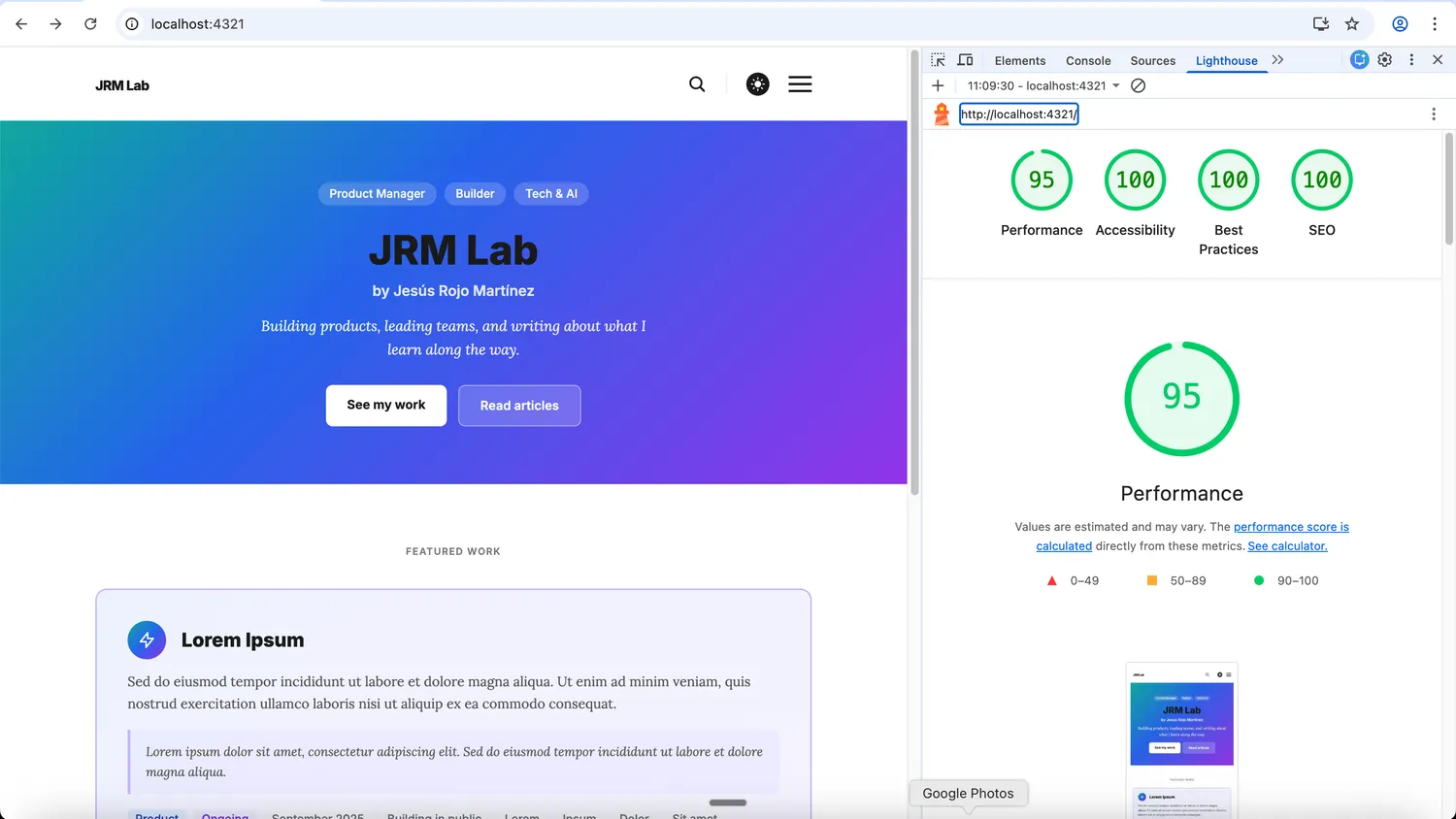
Then the homepage. I did not want a generic listing page. The composition I wanted was specific: short intro, one flagship work item, additional featured work, and only then the recent articles. So the homepage got reshaped rather than accepted as-is from the template.
Search was in scope from the beginning. AstroPlate ships with basic regex matching against titles, which I replaced with Fuse.js — weighted fuzzy search across titles, descriptions, tags, and body content from both collections. Each result shows a small badge so you know whether it is an article or a work entry. The index gets generated at build time into a single JSON file.
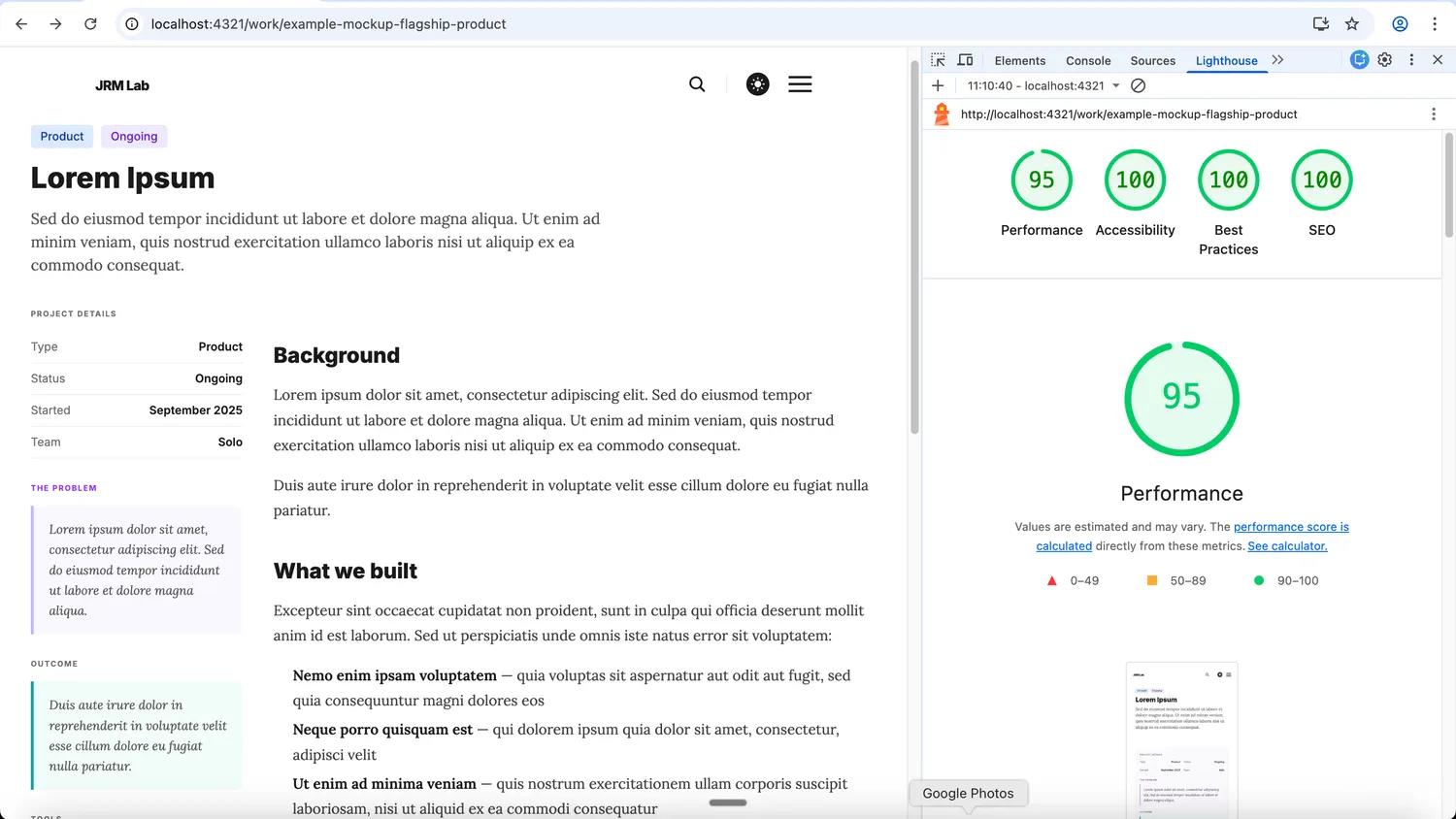
The work detail page was the other piece I cared about. Each entry uses a two-column layout: a sticky sidebar on the left with the structured metadata (problem, outcome, tools, tags, link) and the prose on the right. Five seconds of skimming the sidebar should give you the arc of the project, even if you never read the case study itself.
A handful of foundational pieces also went in during this phase, mostly because they are harder to bolt on later: proper SEO via astro-seo with canonical URLs and OG metadata, an RSS feed that combines both collections, dark mode with system detection and a persistent toggle, branded favicons, and a configuration layer that pulls site-wide values like author name, copyright, and social links into JSON instead of scattering them across templates.
Somewhere in this phase the thing stopped feeling like a modified template.
What changed after the base was working
With the foundation in place, the work shifted from structural decisions to refinement.
The homepage (which the AI had initially produced as a single big component) got broken into clearer sections, each owning its own visibility — if a section has nothing to show, it does not render at all. Hardcoded strings moved into configuration. Social sharing and author profiles were consolidated so each value had a single source of truth instead of being duplicated across files. Articles got reorganised into year-based folders so the file tree could keep scaling.
For analytics, I looked at PostHog, Plausible, and Umami. PostHog is a full product analytics suite with session recordings, funnels, feature flags, A/B testing — and a roughly 70 KB script. For a content site that mostly cares about pageviews and referrers, that is overkill in both features and weight. Plausible is privacy-first and simple, but it has no free tier. Umami fit the shape of what I needed: web analytics with a clean dashboard, no cookies, GDPR-compliant without a banner, and a 2 KB script — over thirty times smaller than PostHog. Even loaded asynchronously, that gap matters. I went with Umami Cloud and added a domain restriction so my development traffic does not get tracked.
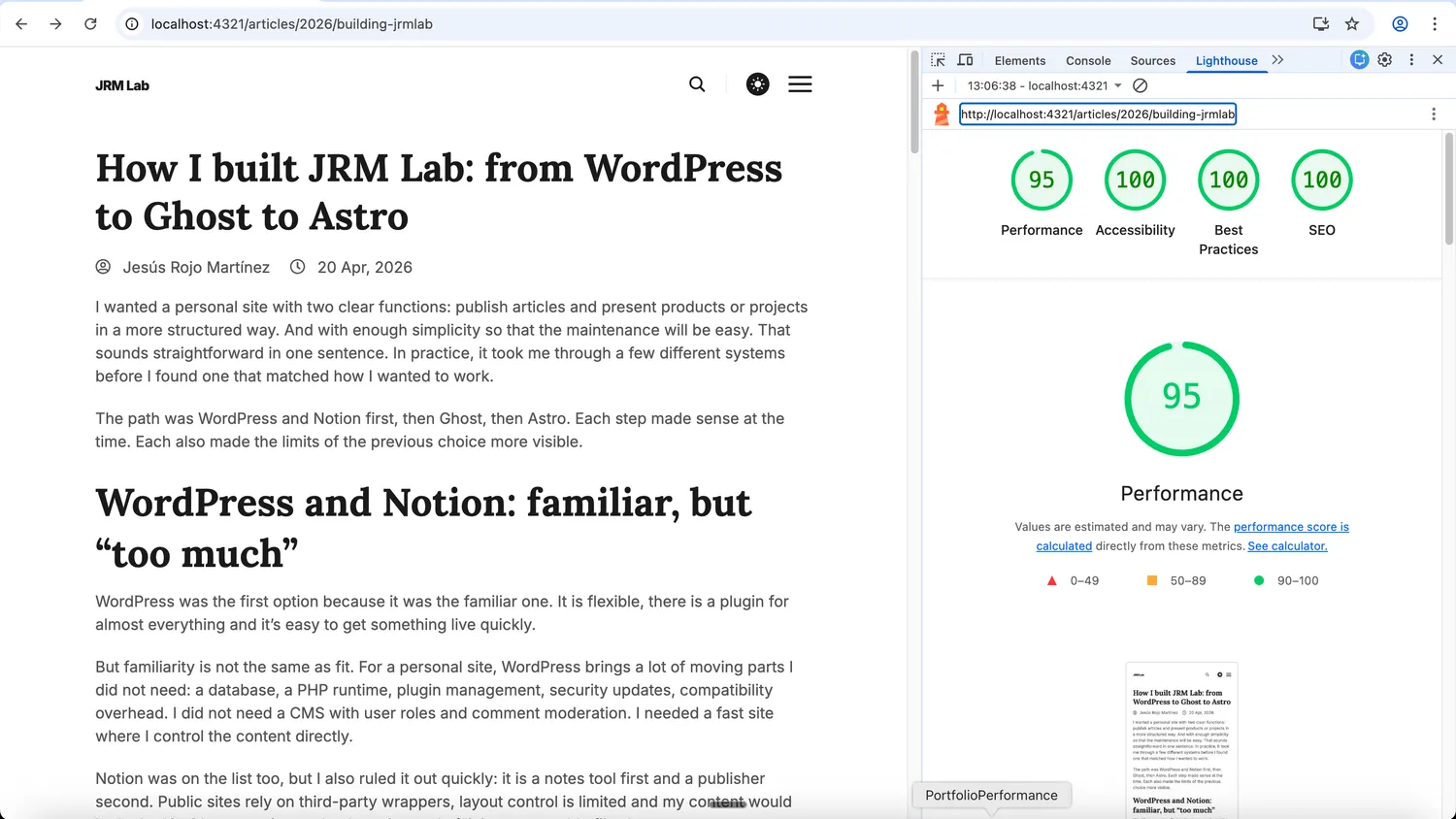
A final pass cleaned up accessibility and contrast. The site now scores 100 on Lighthouse Accessibility, Best Practices, and SEO, and 95 on Performance (served from my development laptop).
- Home page
- Work page
- Article page
Working with AI as an implementation partner
One thing I underestimated at the start was how much the choice of stack would shape how I could work with AI.
I built this site almost entirely through conversation with Claude Code. Less of a code generator and more of a collaborator I argue with. The loop went: I describe what I want, we agree on an approach (tests included), the AI writes and runs the implementation, then I do the final verification and flag whatever is off.
I caught my share — hardcoded values, alignment issues, empty states that should have been hidden, architectural shortcuts that were going to bite later. The AI caught its share too. View Transitions compatibility for the analytics script was its catch, and so was a missing filter that would have leaked index files into the RSS feed.
This kind of back-and-forth only really works if the project is readable. Astro helps there. Markdown files, config files, components, a static build — most of the system is explicit and inspectable. There is less hidden state than in a CMS, which means I can review the AI’s work without first paging in a runtime model of what is happening. I did not pick the stack for that reason, but I would now.
What I would do differently
Not much. The biggest time tax was cleaning AstroPlate down: pulling out sample content, unused components, default config. Templates save you time on the features you want and charge some of it back on the features you do not.
If I were starting again today, I would skip Ghost. Not because it is a bad tool, but because I now know what shape of tool I needed. WordPress is a broad CMS. Notion is a database that publishes on the side. Ghost is a focused publishing platform. None of those are the same thing as what I wanted, which was something closer to a personal system on top of a static repository.
Did I need to walk through three of these to be sure? Probably not. But I am a little more confident in the answer now than I would have been if I had jumped straight to Astro.
Tags :
Share :